
Use case · Construction and trades · Melbourne
Supplier invoice and docket extraction: pay only for what actually turned up
Every delivery to site leaves two bits of paper that are supposed to agree: the delivery docket somebody signed on site, and the supplier invoice that lands in your inbox a fortnight later. Right now a person matches them by hand, against the purchase order, before anything gets paid. We build the system that reads both, checks every line against the PO, and hands that person only the invoices that don’t add up.
Fixed price A$1,950 + GST. Written report in 5 business days. Credited if you go ahead.
- Every docket matched
- Rules check, AI reads
- A person approves
TAX INVOICEINV 10447
Docket 58213 · 25 MPa / 20 mm
8.0 m³ × $265.00$2,120.00
- GST
- $212.00
- Total
- $2,332.00
Delivery docketNo. 58213
Customer copy · Illustrative
- Date
- 08/10/26
- Site
- Lot 14, Example Rd
- Product
- 25 MPa / 20 mm
- Ordered
- 8.0 m³
- Delivered
- 6.0 m³
Last truck cancelled, pour done early.
Three-way match
- supplier_abnMatches the supplier recordRules ✓
- purchase_orderPO 4471 open, job 23-114, $265.00/m³Rules ✓
- docket_ref58213 found, signed on siteRules ✓
- quantityInvoice says 8.0 m³. Docket says 6.0 m³To a person
Short answer: supplier invoice and docket extraction reads your supplier invoices and the delivery dockets signed on site, then matches each invoice line to its docket and purchase order before you pay. In a Lumeio build, AI reads the messy documents, rules check the quantities, rates, docket numbers and tax invoice fields, and a named person in your team decides every invoice that doesn’t match.
The symptoms
Signs your supplier invoices are being paid on vibes
Nobody goes into construction for the accounts payable. Yet in a lot of building businesses, a very capable person spends a good chunk of every week holding an invoice in one hand and hunting for its delivery docket with the other. If three or more of these sound familiar, you have a matching problem, not a staffing problem.
- Dockets come back from site in a pile, a glovebox or a group chat. One spent nine days on the dashboard of a ute, which is, let’s be honest, the construction industry’s real filing cabinet.
- The quarry sends one summary invoice for the month covering 64 dockets, and somebody ticks them off with a highlighter.
- Your site manager approves invoices by replying “yep” to an email at 6:40pm, from the car park, without the docket in front of them.
- Plant hire bills you for the full week. The machine went off hire on Wednesday. Nobody can find the off-hire docket.
- Your accounts team knows Dave’s signature better than Dave does. (It’s a straight line with ambitions.)
- When the bank tells you a supplier’s account details have “changed”, the change is processed by whoever opened the email first.
If you winced at the ute one, it has happened to you. We’re not judging. Somewhere in Victoria right now, a docket is being held together by a sausage sizzle napkin.
What it is
What is supplier invoice and docket extraction?
Supplier invoice and docket extraction is the automated reading and checking of the two documents behind every delivery: the supplier’s tax invoice and the delivery docket signed on site. Document AI pulls out the fields that matter, such as supplier, ABN, docket number, PO, product, quantity, rate and GST. Rules then match each invoice line to its docket and purchase order. Anything that disagrees goes to a person, with both documents open side by side.
It is a specific job inside wider document intelligence, and it sits one step before your accounting software. Getting a PDF from Outlook into Xero is a solved problem; we wrote up how to automate invoice processing into Xero separately. The hard part for builders is proving the invoice is right before it gets there.
A confession, since you’ve read this far: we find a clean three-way match deeply satisfying. Probably more than is healthy. Some people like a perfectly reversed trailer. We like 64 dockets reconciling to one quarry invoice on the first pass.

Why it matters
A docket you can’t find is a dispute you can’t win
[Puts on serious face.] The cost of slow matching isn’t only the hours. In Victoria, the Building and Construction Industry Security of Payment Act 2002 covers people who supply goods and services for construction work, including “plant or materials (whether supplied by sale, hire or otherwise)”. So your concrete plant, quarry and plant hire company can use it.
“the respondent becomes liable to pay the claimed amount”
Security of Payment Act 2002 (Vic), s 15(4), if no payment schedule is served in time
- Days to serve a payment schedule after a payment claim, unless your contract says sooner
- 10 business days
- Latest a contract can set for a progress payment after a claim is served
- 20 business days
Read that together. If a supplier serves a payment claim under the Act and you dispute the quantity, you need the signed docket, the PO and your reasons in a payment schedule inside those 10 business days. If the docket is still in a ute in Pakenham, you’re arguing from memory. This is general information, not legal advice, so check your own contracts with your lawyer.
There’s a tax side too. The ATO says you need a tax invoice to claim a GST credit on purchases over $82.50 including GST, and that an invoice with incorrect or incomplete information is not a valid tax invoice. Checking the invoice fields before you pay is cheaper than finding out at BAS time.
The crime scene
Where the hours go when dockets are matched by hand
Here’s the usual route a single concrete delivery takes from the pour to the payment run. The pink steps are where a person does work a machine should be doing.
- Driver hands over the delivery docketSite supervisor signs it, usually with a pen that’s nearly out
- Docket travels back to the officePhoto in a group chat, the ute dashboard, or a ring binder on Fridays
- Supplier emails the invoiceA PDF, sometimes covering one docket, sometimes 64
- Someone keys the invoice and hunts for the docketThen the PO, then the job number
- Quantities and rates checked by eyeSquinting at handwriting, calculator open
- Mismatches chased by phone and emailSite manager, then supplier, then site manager again
- Approved and paidHopefully before the payment terms run out

The human tax (illustrative)
Take a builder receiving 150 supplier invoices a week. Six minutes each to key it, find the docket, check it against the purchase order and chase the odd one out. Add 8 hours a month reconciling supplier statements. At $45 an hour over 46 working weeks:
Illustrative, not a client result. Your own numbers go in the estimator below; the method is the same one we use in how to calculate the ROI of AI automation. For why this kind of work costs more than it looks, see the hidden cost of manual data entry.
What gets read
What gets pulled from each invoice and delivery docket
Invoice data extraction on its own just copies the invoice into your system, mistakes included. The value comes from reading both documents and checking one against the other. These are the fields we usually extract, and the rule that checks each one.
| Field | From the delivery docket | From the supplier invoice | Rule that checks it |
|---|---|---|---|
| Supplier and ABN | Supplier name, sometimes the ABN | Name and ABN | ABN matches your supplier record |
| Docket number | Printed docket number | Docket reference on each line, if you’re lucky | Every invoiced docket exists and is invoiced only once |
| Date and site | Delivery date, site address | Invoice date, job or site | Site maps to an open job |
| Purchase order | Sometimes | Usually | PO is open and belongs to that job |
| Product | Product, mix, grade or size | Description | Same product as the PO line |
| Quantity and unit | Delivered m³, tonnes, hours or loads, often handwritten | Invoiced quantity | Invoiced quantity matches the docket within your tolerance |
| Rate | Rarely | Unit price | Equals the PO or price list rate |
| Proof of receipt | Site signature, time on and off | Not applicable | Docket signed before the invoice is approved |
| GST and totals | Not applicable | GST amount, total | Arithmetic adds up and GST is 10% of the taxable lines |
| Buyer identity | Not applicable | Your name or ABN | Present when the invoice is $1,000 or more |
The last row is an ATO rule, not ours. More on that in the Australian rules below.
How it works
How supplier invoice and docket extraction works, invoice by invoice
Five steps. Only one of them needs a person, and only for the invoices that earn it.
Collect Rules
Invoices are picked up from the accounts inbox. Dockets arrive by phone photo, scan or the supplier’s portal export.
What goes wrong: dockets that never leave site. A photo at signing fixes most of it.
Read AI
Document AI reads each layout, including handwriting, and pulls out the fields with a confidence score.
What goes wrong: low confidence on a smudged number. That field goes to a person, not a guess.
Match Rules
Each invoice line is matched to its docket and PO line on docket number, quantity, rate and job.
What goes wrong: tolerances set too tight. Agree them per supplier type up front.
Exceptions Person
Mismatches land with a named person, with the invoice, docket and PO side by side and the difference highlighted.
What goes wrong: nobody owns the queue. Every exception gets an owner and a due date.
Post Rules
Matched invoices are coded to the job and sent to your accounting system as approved bills, with the docket attached.
What goes wrong: posting before approval. The build only sends what a rule or a person has passed.
Who does what
What we automate, where AI helps, and what stays human
We don’t start with AI. Most of the work here is ordinary, boring, reliable automation, which is exactly what you want anywhere near your bank account.
Ordinary automation Rules
- Picking up invoices from the inbox
- Matching docket numbers, quantities and rates
- Checking GST arithmetic and tax invoice fields
- Catching duplicate invoices and dockets
- Coding to jobs and posting approved bills
Document AI AI
- Reading dozens of supplier invoice layouts
- Reading handwriting and phone photos of dockets
- Splitting a monthly statement into its dockets
- Mapping a supplier’s product name to your PO line
Your people Person
- Deciding disputed quantities and short loads
- Approving variations and extra charges
- Confirming any change to supplier bank details by phone
- Talking to the supplier when it matters
- Approving the payment run
The bank details line is non-negotiable in our builds. An email saying “we’ve changed banks” is exactly what a payment redirection scam looks like, so the system flags the change and a person calls the supplier on a number you already had. More on why we keep people in the loop in human in the loop, defined.
Three-way match
Two-way or three-way match: which one each invoice needs
A three-way match checks the invoice against two independent records: the purchase order (what you agreed to buy) and the delivery docket (what actually arrived). A two-way match skips the docket. Both have a place. The trick is choosing per supplier, rather than making your team do the full ritual on a $40 courier bill.
Two-way match
Purchase order↔Invoice
Good for subscriptions, services and fixed-price work, where there’s nothing physical to count. Rate and amount must agree with the PO.
Three-way match
Purchase order↔Delivery docket↔Invoice
Needed for anything delivered, weighed, poured or hired by the hour. The quantity comes from the docket, the rate from the PO, and the invoice has to agree with both.
Matching rules by supplier type
This is where generic invoice software falls over. A concrete docket, a weighbridge ticket and a plant hire timesheet each need their own rules and tolerances. Here’s how we usually set them up; your tolerances are your call.
Concrete m³
Check the delivered m³ on each docket, not the ordered m³. Watch for short load fees, waiting time and returned concrete lines. Usual exception: invoiced for the order, not the delivery.
Quarry and landfill tonnes
Net tonnes come from the weighbridge ticket, so match to the ticket number. Gate fees and any levy lines get checked on their own. Usual exception: a summary invoice that includes a ticket from another job.
Plant hire hours or days
Match on-hire and off-hire dockets to the hire period, then check standby, float and damage waiver lines. Usual exception: charged past the off-hire date.
Cartage and freight loads or hours
Match each load docket and any hourly timesheet; tolls and wait time need a docket note to back them. Usual exception: an extra load nobody on site remembers.
See? Told you we liked this bit. If waste is the bigger pile in your business, our waste records automation use case handles weighbridge tickets from the other side of the gate.
Before and after
One week of invoices, before and after supplier invoice and docket extraction
Before
- 150 invoices keyed by hand
- Dockets hunted in chats, folders and utes
- Quantities checked by squinting
- Mismatches found late, or after payment
- Site managers approving from memory
About 6 min per invoice
After
- Invoices and dockets read on arrival
- Every line matched to its docket and PO
- Mismatches queued with the difference shown
- A person decides only the exceptions
- Approved bills posted with the docket attached
About 1.5 min per invoice
| Measure | Before | After |
|---|---|---|
| Time per invoice | 6 min | 1.5 min |
| Statement reconciliation | 8 hrs a month | 2 hrs a month |
| Hours a year | 786 hrs | about 197 hrs |
| Cost of those hours | $35,370 | about $8,840 |
| When mismatches are found | At payment, or after | The day the invoice arrives |
Roughly 590 hours a year returned to the team in this example. Overcharges caught are on top of that; we won’t guess a number for those, because it depends entirely on your suppliers. Actual results depend on your documents, your exception rate and the build.
Estimator
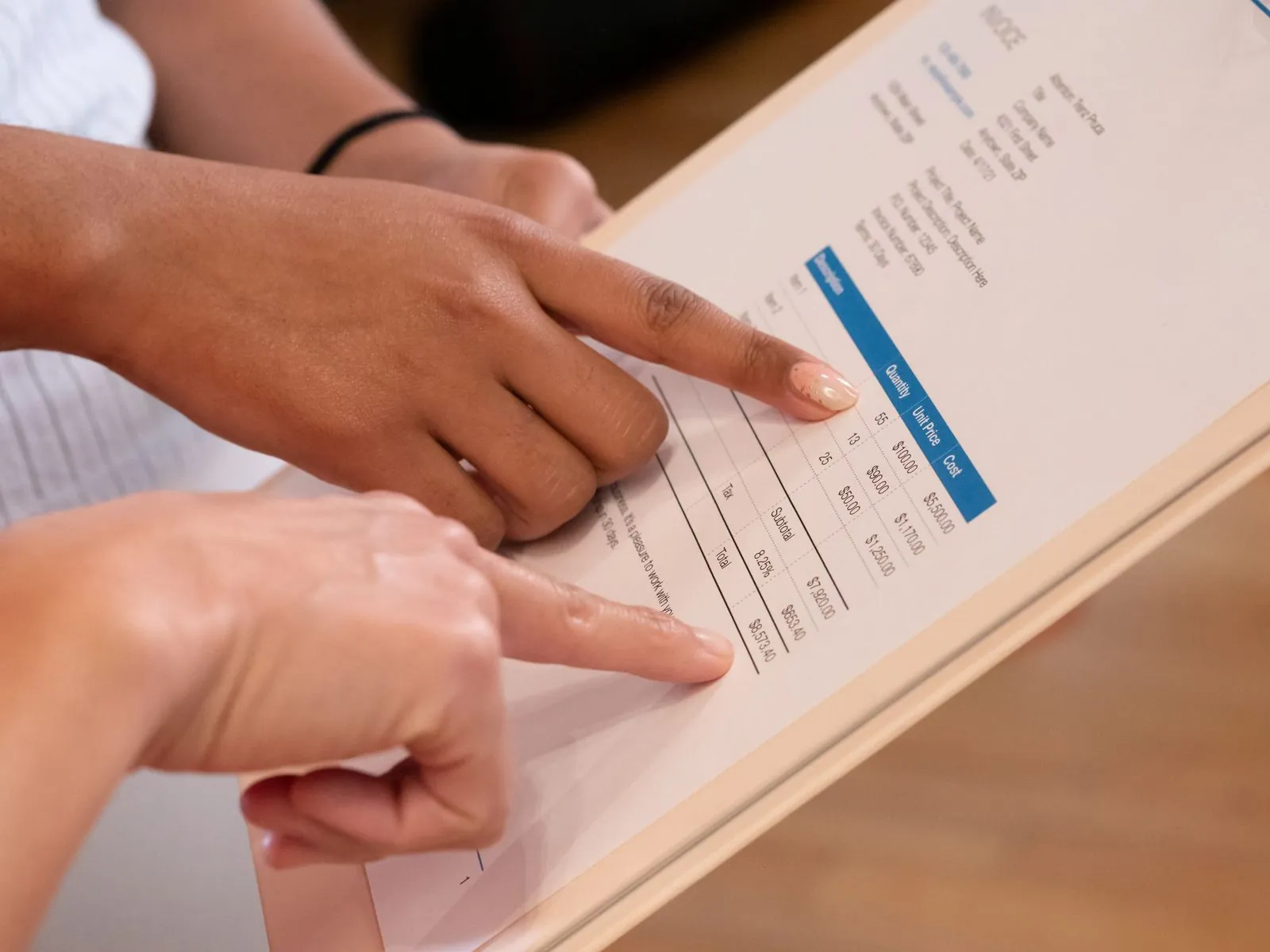
What is matching invoices to dockets costing you?
Three numbers, ten seconds. Nothing you enter is sent to us or stored.
Enter a number above zero in all three boxes.
Your indicative opportunity
- Hours a year matching invoices
- Cost of those hours a year
- Indicative value if 70% goes
Estimated from the information you provide, over 46 working weeks, assuming 70% of the handling can be removed (the same assumption as our guide to the ROI of AI automation). It leaves out statement reconciliation and any overcharges caught, so it’s on the cautious side. It’s an indicative opportunity, not a quote or a guaranteed saving. Actual results depend on your documents, your exception rate and the build.
The rules
The Australian rules your supplier invoices have to satisfy
No jokes in this bit. These are the rules a build like this checks against, with the source for each.
| Rule | What it says | What the build does |
|---|---|---|
| Tax invoice content (ATO) | Seven details, including that it’s a tax invoice, the seller’s identity and ABN, the date, a description with quantity and price, and the GST. Invoices of $1,000 or more also need the buyer’s identity or ABN. | Checks each field is present before the bill is approved |
| GST credits (ATO) | You need a tax invoice to claim a GST credit on purchases over $82.50 including GST. An invoice with incorrect or incomplete information isn’t a valid tax invoice. | Flags invalid invoices so you can request a corrected one |
| Record keeping (ATO) | Keep most records for 5 years. | Stores the invoice, docket and decision together, searchable by job |
| Security of Payment Act 2002 (Vic) | Covers suppliers of plant and materials. Miss the payment schedule deadline (10 business days, or sooner under your contract) and you become liable for the claimed amount. | Puts disputed invoices in front of a person with the docket, fast |
| eInvoicing (Peppol) | The Australian Government is making eInvoicing the default for its own procurement. For private businesses it’s an option, not a requirement. | Reads eInvoices and PDFs the same way, then matches both to dockets |
Will eInvoicing make this unnecessary?
It fixes half the problem. An eInvoice arrives as clean data, so there’s nothing to read. But the delivery docket is still a piece of paper signed on site, and the question “did 8 cubic metres actually arrive?” doesn’t go away because the invoice was sent through Peppol. Most of your suppliers will keep sending PDFs for a while yet, too.
Where your invoices and data go
Before anything is built, the audit report sets out where your invoices, dockets and matching data would be stored, which models would read them, who can see what, and how long records are kept. You approve that in writing.
Supplier invoices carry bank details and pricing, and dockets carry drivers’ names and signatures. The OAIC recommends against entering personal information into publicly available generative AI tools (OAIC guidance, October 2024). So nobody’s invoices go anywhere near a free chatbot.
Common mistakes
Common mistakes with invoice and docket matching (Dave sends his regards)
- Automating the invoice and ignoring the docket. Invoice data extraction alone just gets the wrong number into Xero faster. The docket is the evidence.
- One tolerance for everything. A 2% tolerance on quarry tonnes is sensible. On a fixed-price hire charge it’s a leak.
- Letting AI decide a dispute. AI reads the docket. A person decides whether 6 cubic metres or 8 turned up.
- No photo at the point of signing. If dockets only reach the office on Fridays, nothing downstream can be quick. Start on site.
- An exception queue with no owner. Unowned exceptions are just a new pile with a nicer font.
When supplier invoice and docket extraction is the wrong fix
If you get 20 supplier invoices a month, a better folder and a checklist will do. If most of your suppliers already run a digital docket portal, start with its exports before reading paper. And if nobody has agreed what a “correct” invoice looks like, you need a process conversation first, not software. Our write up on automating construction paperwork covers which site paperwork to fix first.
Who builds it
Built in Melbourne by people who’ve stood on the site end of the docket
Working through a different kind of paperwork? See how the same approach handles building permit data extraction, or browse all use cases.
FAQ
Questions about supplier invoice and docket extraction
What is supplier invoice and docket extraction?
Supplier invoice and docket extraction reads your supplier invoices and the delivery dockets signed on site, pulls out fields such as supplier, ABN, docket number, purchase order, quantity, rate and GST, and matches each invoice line to its docket and PO before you pay. Rules do the checking, AI reads the messy documents, and a named person decides any invoice that doesn’t match.
What is a three-way match?
A three-way match checks a supplier invoice against two independent records: the purchase order, which shows what you agreed to buy and at what rate, and the delivery docket, which shows what actually arrived. The invoice is approved only when quantity, rate and docket number agree with both, within the tolerance you set. A two-way match skips the docket and suits services and fixed-price work.
Can it read handwritten or photographed dockets?
Usually, yes. Document AI can read printed dockets, handwriting and reasonably clear phone photos, and gives each field a confidence score. A smudged or low-confidence number is never guessed: it goes to a person with the photo open. Taking a photo at the moment the docket is signed on site makes the biggest difference to accuracy and speed.
What happens when the invoice and docket don’t match?
The invoice goes into an exception queue owned by a named person, with the invoice, docket and purchase order side by side and the difference highlighted, such as 8.0 cubic metres invoiced against 6.0 delivered. That person decides: approve, ask the supplier for a credit or corrected invoice, or check with site. Their decision and reason are recorded against the invoice.
Does it work with Xero, MYOB or our job costing system?
Usually, yes. Most accounting and job costing systems accept bills and purchase orders through an import or an API, so matched invoices can arrive as approved bills coded to the right job, with the docket attached. We work with the systems you already use rather than adding another platform. The audit confirms what your systems can export and accept.
Will eInvoicing make this unnecessary?
Not on its own. A Peppol eInvoice arrives as clean data, so it doesn’t need reading, but the delivery docket is still signed on site and still has to be matched. eInvoicing is the default for Australian Government procurement but optional for private businesses, so most suppliers will keep sending PDFs for a while. A good build handles both.
How much does supplier invoice and docket extraction cost?
Every project starts with a fixed-price Pain Point Audit at A$1,950 + GST, which maps your suppliers and documents, measures the hours and prices the first build. The build is quoted separately because it depends on your document types and volumes. The audit fee is credited in full against a first build of A$5,000 + GST or more signed within 60 days.
Find out how many hours your dockets are eating
One half-day audit of your accounts payable and a couple of your busiest suppliers. A written report in 5 business days, with the documents, the matching rules, the hours and a fixed price for the first build. Bring Dave. We’d genuinely like to see that signature in person. And yes, we’ll be quietly thrilled if your first three-way match reconciles on the first pass.
Fixed price A$1,950 + GST. Credited if you go ahead with a build.
Sources
- ATO: when you can claim a GST credit ($82.50 rule, valid tax invoices; updated 14 September 2026)
- ATO: tax invoices (required details, $1,000 buyer identity rule; updated 18 September 2026)
- ATO: overview of record keeping rules for business (5 years; updated 18 June 2026)
- Building and Construction Industry Security of Payment Act 2002 (Vic), authorised version 015 (ss 6, 12 and 15; amendments as at 24 June 2026)
- ATO: eInvoicing for government (updated 5 August 2026)
- OAIC: guidance on privacy and the use of commercially available AI products (October 2024)
- Lumeio: how to calculate the ROI of AI automation (the $45 hourly rate, 46 working weeks and 70% assumptions)