
Use case · Wholesale, distribution, manufacturing · Australia
Inventory reorder automation that orders before the last box goes
Inventory reorder automation checks every item against its reorder point every day, works out how much to order from your real sales and supplier lead times, and drafts the order, grouped by supplier and rounded to pack sizes. Your buyer stops building orders from a stock report and a hunch, and starts approving them. Anything odd, like one customer’s one-off order for 400, goes to a person first.
Fixed price A$1,950 + GST. Written report in 5 business days. Credited if you go ahead.
- Works from your ERP
- Real lead times, not guesses
- A buyer approves every order
Stock on hand · 40 daysSKU 40-1180
Bin A-14-03SKU 40-1180
M8 hex bolt, zinc, box of 100
- On hand
- Reorder point
- Sells a day
- 294
- 296
- 18
Draft order · IllustrativeYour fastener supplier
- M8 hex bolt, box of 100Reorder point hit. 400, a multiple of the packReady
- M8 flat washer, box of 200Same supplier, topped up to the minimum orderReady
- M10 hex bolt, box of 50One customer ordered 400 in a day. Repeat or one-off?To a buyer
2 lines ready · 1 questionApprover: buyer
Short answer: inventory reorder automation is a system that compares stock on hand, plus stock already on order, with a reorder point for every item, every day. When an item crosses its point, it drafts the order: a quantity based on recent sales and the supplier’s real lead time, rounded to pack sizes and grouped by supplier. In a Lumeio build, rules do the arithmetic, AI reads supplier emails, and a named buyer approves every order before it’s sent.
The symptoms
Signs your reordering runs on gut feel and a sticky note
Nobody gets into wholesale because they love building purchase orders on a Monday morning. Yet in plenty of Australian businesses, a very capable person spends most of a day a week doing exactly that, from a stock report, a spreadsheet and memory. If three or more of these sound familiar, you don’t have a stock problem. You have a reordering process that lives in one person’s head.
- Somewhere in your warehouse there’s a last box with a sticky note on it that says “DO NOT SELL”. Everyone knows about it. Nobody knows who wrote it.
- The reorder levels in your ERP were typed in when the system went live. That was a while ago. Some of those products no longer exist; some of those suppliers definitely don’t.
- Your buyer exports a stock report, pastes it into a spreadsheet, adds a sales column with a lookup that breaks if anyone sorts it, and then reorders “about the same as last time”.
- You run out of your best sellers and have three years’ supply of something you sold once, in 2023, to a customer who has since retired.
- Suppliers confirm, backorder or change dates by email, and the new ETA lives in the buyer’s inbox, not in the system your sales team checks.
- When the buyer is on leave, reordering is too. The warehouse finds out first. Customers find out second.
If the sticky note one made you look over your shoulder, you’re among friends. [Raises hand] We’ve personally guarded a last box. It did not end well for the box.
Definition
What is inventory reorder automation?
Inventory reorder automation is the part of stock control that decides when to buy, how much to buy and from whom, without someone building it from scratch every week. It reads stock on hand, open orders and sales history from your ERP or inventory system, checks each item against its reorder point, and turns the answer into draft orders a buyer can approve in minutes.
business.gov.au defines the core idea neatly: “A reorder point is the smallest amount of each item you want to have in stock before you order more” (business.gov.au, Manage your inventory). The hard part was never the definition. It’s keeping that number right for two thousand items, every week, while customers, suppliers and seasons keep changing it.
It’s also not a robot that buys things on its own. The useful version does the boring 90% and hands the interesting 10% to a person.

What most systems give you
Low stock alerts
A list of items under a number someone typed in. Useful, as far as it goes.
- Says something is low
- Doesn’t say how many to buy
- Uses whatever reorder level was entered
- Someone still builds the order
What this page is about
Reorder automation
Reorder points kept up to date from real data, and orders drafted for a person to approve.
- Recalculates from sales and real lead times
- Rounds to pack sizes and minimum orders
- Flags odd demand before it skews the numbers
- The buyer approves, not assembles
It sits inside our wider workflow automation work: same approach, applied to one of the most repetitive jobs in a stock-holding business.
The arithmetic
How to calculate a reorder point (and why your ERP’s number is probably wrong)
[Clears throat] Full disclosure: we think the reorder point formula is the most beautiful equation in business. Yes, more than E = mc². Einstein’s never stopped a customer ringing to ask where their order is.
Reorder point = daily sales × lead time in days + safety stock
The first part covers what you’ll sell while you wait for the delivery. Microsoft’s own documentation for Business Central puts it in six words: “A reorder point represents demand during lead time.” Safety stock covers the days that go worse than average.
Take the item on the shelf label above. It sells 18 a day. The supplier takes 12 days from order to delivery. You keep 80 units of safety stock for slow trucks and busy weeks. So the reorder point is 18 × 12 + 80 = 296. When stock on hand, plus anything already on order, drops to 296, you order. Not at 250 because the buyer was busy. Not at 400 because the last stockout still stings.
Try it on one of your own items
29618 × 12 + 80
Enter zero or more in all three boxes.
So why is the number in your ERP probably wrong? Because every input moves. Sales rates drift with seasons and customers. Lead times stretch when a supplier gets busy, and the number on the item card is usually the one the supplier quoted, not the one they deliver. The ABS found that 16% of Australian businesses were dealing with supply chain disruption in May 2026, and 24% of wholesalers (ABS, Business Conditions and Sentiments, May 2026). A reorder point set once and left alone is a guess with a decimal point.
That’s the real job of inventory reorder automation. Not the multiplication, which a spreadsheet does fine, but recalculating every input for every item, every week, from what actually happened.
Safety stock has fancier formulas, using demand variability and a target service level. They’re worth it for your top sellers. For the long tail, a few days of cover, reviewed regularly, beats a beautiful formula fed bad data.
The crime scene
Where the hours go every Monday morning
Here’s a typical weekly reorder at a distributor with a couple of thousand active items, done the traditional way. None of the steps are hard. They’re just slow, they repeat every week, and they all depend on one person being in the building.
Reordering this way is like driving to Bendigo using only the rear-view mirror, a printed map from 2019 and a passenger who keeps saying “we’re fine, we did this last month”.
- Export the stock on hand reportFrom the ERP, to Excel, again
- Paste in sales and open ordersThree lookups, one of which breaks if anyone sorts the sheet
- Decide quantities, line by line“About the same as last time”, adjusted by mood
- Round to cartons and minimum ordersFrom memory, or a supplier price list PDF
- Key the orders and email themOne per supplier, PDF attached
- Suppliers reply with backorders and new datesThe ETA stays in the buyer’s inbox
- A customer asks where their order isExpediting, rush freight, apologies

The human tax (illustrative)
Take a 35-person distributor with about 2,000 active items. The buyer and the operations manager spend 10 hours a week between them building orders, plus 3 hours chasing suppliers and fixing stockouts. At A$61 an hour, the same rate as our workflow automation page (ABS average full-time earnings plus super), over 46 working weeks. These are assumptions for illustration, not a client’s numbers.
That figure leaves out the expensive bits on purpose: lost sales when a best seller runs out, and cash sitting on the shelf in slow movers. Those are real, but they vary too much between businesses to guess at. The audit measures yours. Our guide to the hidden cost of manual data entry covers what retyping does to accuracy.
The messy middle
Five things a reorder point formula can’t see
Every inventory software guide explains the formula. Very few explain why a formula on its own still runs you out of stock. These are the gaps we design for, because they’re where reorder projects quietly fail.
| The problem | What happens without a fix | How the build handles it | Who |
|---|---|---|---|
| One-off big orders | One tender or project order inflates the average, and the reorder point stays too high for months | Orders far above an item’s normal pattern are flagged and left out of the average until someone confirms | Rules flag, Person decides |
| Pack sizes and minimum orders | The formula says 37. The supplier sells in cartons of 24 and wants $500 an order | Quantities round up to pack multiples; small lines are topped up or held to meet the supplier minimum | Rules |
| Lead times that drift | The item card says 7 days. The last five deliveries took 11 to 16 | Real lead times are measured from order date to receipt date, per supplier, and the reorder point moves with them | Rules |
| Supplier replies by email | Backorders and new ETAs sit in an inbox, so stock on order looks healthier than it is | Supplier confirmations are read and matched to the open order; changed dates update the system or go to the buyer | AI reads, Person if unclear |
| Stock counts that are wrong | The system thinks there are 40 on the shelf. There are 4, and a sticky note | Items with odd movements, negative stock or big count adjustments are flagged for a recount before they’re reordered | Rules, Person counts |
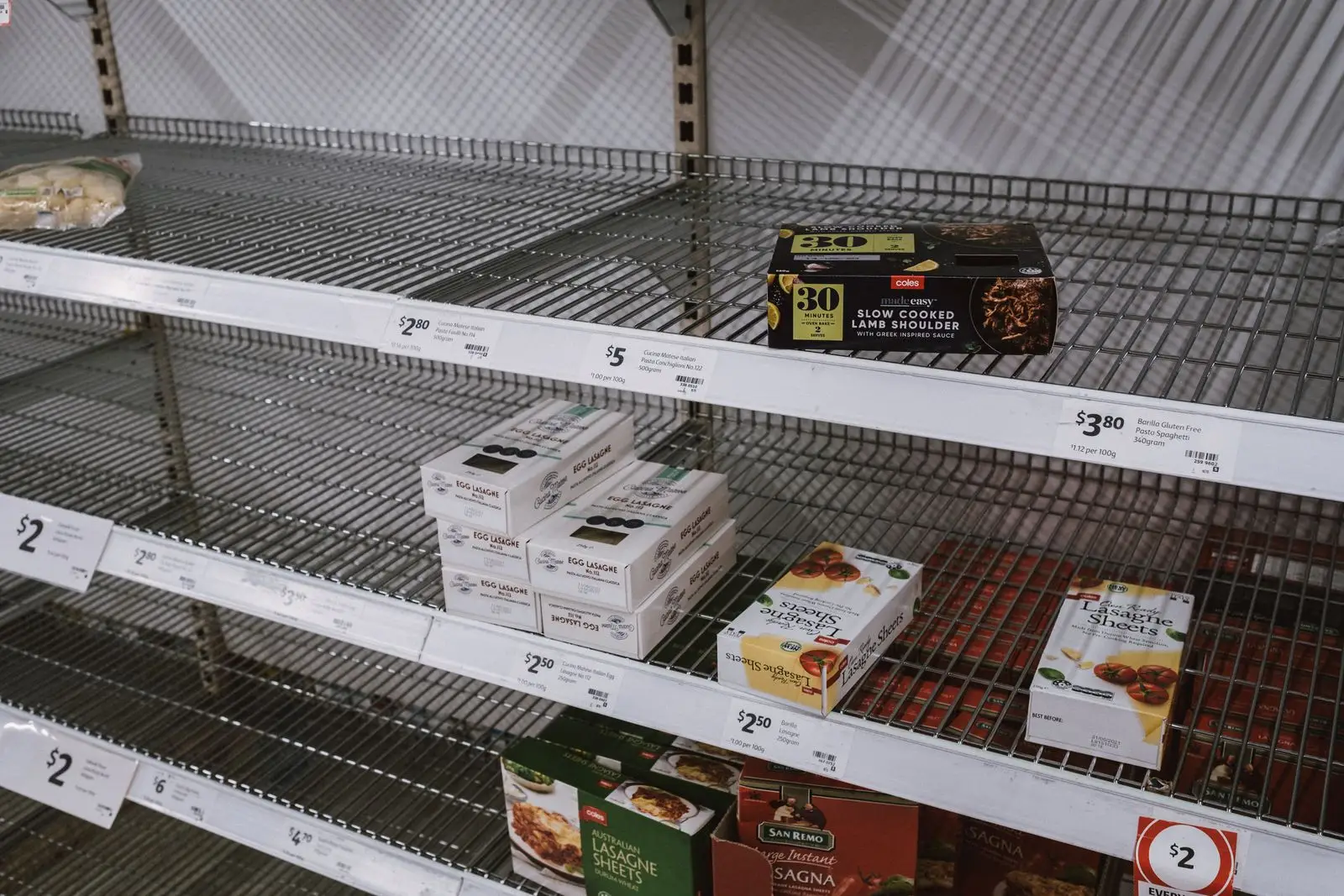
The one-off order is our favourite, because it’s so sneaky. A builder orders 400 of something you normally sell 20 of a week. The average jumps, the reorder point jumps with it, and for the next three months you buy stock for a customer who’s already finished the job.
A formula can’t tell a new normal from a one-off. Your buyer usually can, in about four seconds, because they know the customer. So the build doesn’t guess. It flags the order, leaves it out of the average, and asks.
Supplier emails are the other one. Most reorder tools assume the order you placed is the order you’ll get, on the date you were promised. Anyone who has bought stock knows how optimistic that is. Reading those replies is a good, narrow job for AI: the email is messy, the answer you need from it is simple.
How it works
How inventory reorder automation works, step by step
Five steps. Each one names who does the work: fixed rules, AI or a person. And each one says what goes wrong if it’s skipped, because that’s where reorder projects come unstuck.
Read Rules
Every night, stock on hand, open orders, sales and receipts come out of your ERP or inventory system into one place, along with supplier pack sizes and minimums.
If skipped: the Monday export, forever.
Recalculate Rules
Sales rates, real lead times, safety stock and reorder points are recalculated for every item, with one-off orders held out until someone confirms them.
If skipped: a very fast way to order the wrong amount.
Draft Rules
Items at or below their reorder point become order lines, rounded to pack sizes, grouped by supplier and topped up to minimum order values.
If skipped: a list of low items and a buyer with a calculator.
Approve Person
The buyer sees each draft with the reason for every line, and the flagged ones on top. They edit, approve or hold. Every decision is recorded with a name and a time.
If skipped: software buying stock nobody agreed to. Hard pass.
Send and follow up AI
Approved orders go to suppliers. Their replies are read and matched to the order, and changed dates or backorders update the system or go to the buyer.
If skipped: the ETA lives in an inbox again.

Rules, AI or a person
What we automate, where AI helps, and what stays human
Most of reordering is arithmetic, and arithmetic doesn’t need AI. It needs reliable data and rules you can test. AI earns its place in the few spots where the input is messy, and a person keeps every decision that spends money or knows a customer.
Ordinary automation Rules
Predictable, cheap and testable.
- Pulling stock, sales and open orders nightly
- Recalculating reorder points and safety stock
- Rounding to packs and supplier minimums
- Grouping lines into one draft per supplier
AI AI
Only where the input is unstructured.
- Reading supplier confirmations and backorder emails
- Pulling new prices and pack sizes from price lists
- Summarising why an item’s demand changed
- Matching supplier descriptions to your item codes
Your buyer Person
Judgement, money and relationships.
- Approving every order before it’s sent
- Deciding if a big order is a one-off
- New, discontinued and substitute items
- Buying ahead of a promotion or price rise

The line we don’t cross is spending money without a person. A reorder system that places orders on its own sounds efficient right up until it buys a pallet of something a customer cancelled yesterday.
So the build starts by drafting, not ordering. Once your buyer trusts the drafts, some businesses choose to let small, routine top-ups go straight through inside a spending limit they set. That’s your call, made with a few months of evidence, not ours. We wrote up what human in the loop actually means, and how we decide where these lines sit in AI decision systems more generally.
The approach on this page comes from a reorder agent we built on top of a client’s ERP. The client stays unnamed, and every number on this page is illustrative.
Before and after
One year of reordering, before and after inventory reorder automation
Same distributor, same illustrative assumptions as above. The difference is who does the arithmetic: a person every Monday, or a system every night, with the person checking its work.
Before
- Stock report exported and patched by hand
- Quantities decided line by line
- Supplier dates kept in an inbox
- Stockouts found by customers
- One last box, one sticky note
About 598 hours
After
- Reorder points recalculated every night
- Drafts ready, with a reason for every line
- Supplier replies matched to open orders
- Risky items flagged days earlier
- The sticky note retires with honours
About 184 hours
| Measure | Before | After |
|---|---|---|
| Building, sending and chasing orders, hours a week | 13 | 4 |
| Hours in the year | 598 | 184 |
| Staff cost in the year | $36,478 | $11,224 |
| Reorder points reviewed | When someone remembers | Every night, every item |
| Who approves orders | The buyer, after building them | The buyer, after checking them |
Roughly 414 hours and $25,254 back in a year, on these assumptions, before any change in stockouts or stock levels. That’s an indicative opportunity, not a promise. Your own numbers depend on your systems, your suppliers and how clean your data is today. The audit measures them properly.
Estimator
What is manual reordering costing you?
Three numbers, ten seconds. Nothing you enter is sent to us or stored.
Enter a number above zero for reordering hours and hourly cost, and zero or more for chasing hours.
Your indicative opportunity
- Reordering hours a year
- Cost of those hours
- Indicative value if 70% goes
Estimated from the information you provide, over 46 working weeks, assuming 70% of the handling can be removed (the same assumption as our guide to the ROI of AI automation). It’s an indicative opportunity, not a quote or a guaranteed saving, and it leaves out lost sales and stock holding costs. Actual results depend on your systems, your data and the build. Approving orders stays with your people.
Worth knowing
Stock, tax and data rules the build works around
Reordering touches your stock records, your tax figures and your suppliers’ commercial terms. [Switches to serious face] These are the rules that shape a build most.
| Rule | What it says | What it means for the build |
|---|---|---|
| ATO general trading stock rules | You must do an end-of-year stocktake and record the value of trading stock on hand at the start and end of the income year. | The build reads your stock records and never edits stock values. Your counts and your accountant stay in charge of the numbers you report. |
| ATO simplified trading stock rules | Small businesses under $10 million aggregated turnover can skip a formal stocktake if they estimate stock value changed by $5,000 or less. | Clean, current stock data makes that estimate easier to stand behind. Wrong counts get flagged for a recount. |
| business.gov.au inventory guidance | Reorder points depend on how fast items sell and how long new stock takes to arrive. | Both are measured from your own records, per item and per supplier, rather than typed in once. |
| Privacy Act and OAIC AI guidance | The OAIC recommends against entering personal information into publicly available AI tools. | Customer names on orders and supplier contacts stay in systems you approve. Nothing goes into a free chatbot. |
See the ATO’s general trading stock rules and simplified trading stock rules, and business.gov.au on preparing for a stocktake. This is a summary for context, not tax advice.
Where your stock and supplier data goes
Supplier prices and terms are commercially sensitive, and order history includes customer details. So before anything is built, the audit report sets out where your data would be stored, which models would read supplier emails, who can see what, and how long things are kept. You approve that in writing.
The OAIC’s guidance on privacy and commercially available AI products (October 2024) is the baseline we work to. If a build ever made decisions about individual people, the Privacy Act’s new automated decision rules would apply from 10 December 2026; our automated decision-making review covers that. Reordering stock usually doesn’t, which is one more reason it’s a good first project.
The honest bit
Common inventory reorder automation mistakes (the last box sends its regards)
- Automating bad stock counts. If the system’s on-hand figure is wrong, automation just orders the wrong amount faster. Fix the worst counts first. The build helps by flagging items whose numbers don’t add up.
- Trusting the item card lead time. Quoted lead times are a supplier’s best day. Measure the real ones from your own order and receipt dates, and let them move.
- Letting software spend money on day one. Start with drafts a buyer approves. Earn automatic ordering, item by item, with evidence. Some items never earn it, and that’s fine.
- One safety stock rule for everything. Your best seller and an item you sell twice a year need different treatment. A few days of cover for the long tail, more care for the top sellers.
- Ignoring the supplier side. A perfect order that sits backordered, unnoticed, is still a stockout. Reading supplier replies is half the value.
When inventory reorder automation is the wrong fix
We’d rather tell you now. If you carry a few dozen items from two suppliers, a well-kept spreadsheet with a reorder column and a weekly reminder will do the job, and cost nothing.
If your ERP already has good reorder features and the real problem is that nobody trusts the data, the first fix is a stocktake and a clean-up, not a build. And if your bigger pain is checking supplier invoices against what arrived, that’s our supplier invoice and docket matching use case instead. The Pain Point Audit will say which it is before you spend anything on a build.

Who builds it
Built in Melbourne by people who check the lead time before the formula
Weighing up a hire for this instead? We wrote about when automation beats hiring. And if your reorder spreadsheet is part of a bigger weekly report, the Automation Autopsy of a weekly Excel report will feel familiar. Browse all use cases for other workflows.
FAQ
Questions about automating stock reorders
What is inventory reorder automation?
Inventory reorder automation is a system that checks stock on hand against a reorder point for every item, every day, and drafts the order when an item needs one. It reads your ERP or inventory system, works out quantities from real sales and supplier lead times, rounds to pack sizes and groups lines by supplier. A buyer reviews anything unusual and approves the order before it goes out.
How do you calculate a reorder point?
Multiply average daily sales by the supplier’s lead time in days, then add safety stock. If you sell 18 units a day, the supplier takes 12 days and you hold 80 units of safety stock, the reorder point is 18 x 12 + 80 = 296. When stock on hand plus stock already on order drops to 296, it is time to order.
My ERP already has reorder levels. Why isn’t that enough?
Usually because the numbers in that field were typed in years ago and never touched again. A reorder level is only as good as the sales rate and lead time behind it. The automation recalculates those from your own history, catches one-off orders that would distort them, and turns the result into a draft order a buyer can approve in minutes.
Will it place orders with suppliers by itself?
Not unless you decide it should, and we’d start without it. In a Lumeio build, the system drafts orders and a named buyer approves them. Some businesses later let small, routine top-ups through automatically, inside a spending limit they set. Anything unusual, new or expensive still goes to a person.
Which systems does it work with?
Most ERP and inventory systems used by Australian wholesalers and manufacturers can export stock, sales and open orders, through an API, a scheduled report or a spreadsheet. We read what your systems already produce. The Pain Point Audit confirms exactly what yours can export, and how often, before anything is built.
Is this worth it for a small business?
It depends on how many items you buy and how often stock runs out. With a few dozen items and one supplier, a tidy spreadsheet with a reorder column is probably enough. Once you have hundreds of items, several suppliers and a buyer spending most of a day a week on orders, automation usually pays for itself.
How much does an inventory reorder automation build cost?
Every project starts with a fixed-price Pain Point Audit at A$1,950 + GST, which measures the hours, checks your data and prices the first build. The build is quoted separately because it depends on your systems, item count and suppliers. The audit fee is credited in full against a first build of A$5,000 + GST or more signed within 60 days.

Find out how many hours your reordering is eating
One half-day look at how your stock gets reordered today. A written report in 5 business days, with the hours, the data gaps, what stays with your buyer and a fixed price for the first build. Bring your stock report. We’ll bring the formula. (We did say we liked it.)
Fixed price A$1,950 + GST. Credited if you go ahead with a build.
Sources
- business.gov.au: Manage your inventory (reorder point definition, lead time and sales inputs)
- Microsoft Learn: Business Central reordering policies (“A reorder point represents demand during lead time”)
- ABS: Business Conditions and Sentiments, May 2026 (released 26 May 2026; 16% of businesses, 24% of wholesalers, facing supply chain disruption)
- ATO: general trading stock rules (updated 7 May 2025)
- ATO: simplified trading stock rules (updated 27 May 2026)
- OAIC: guidance on privacy and the use of commercially available AI products (October 2024)
- Lumeio: how to calculate the ROI of AI automation (the 46 working weeks and 70% assumptions)